Yomitan in a browser
Best for web pages and browser-based reading, especially through supported Android browsers such as Firefox Android.
Yomitan Android Guide
Quick answer
Best for web pages and browser-based reading, especially through supported Android browsers such as Firefox Android.
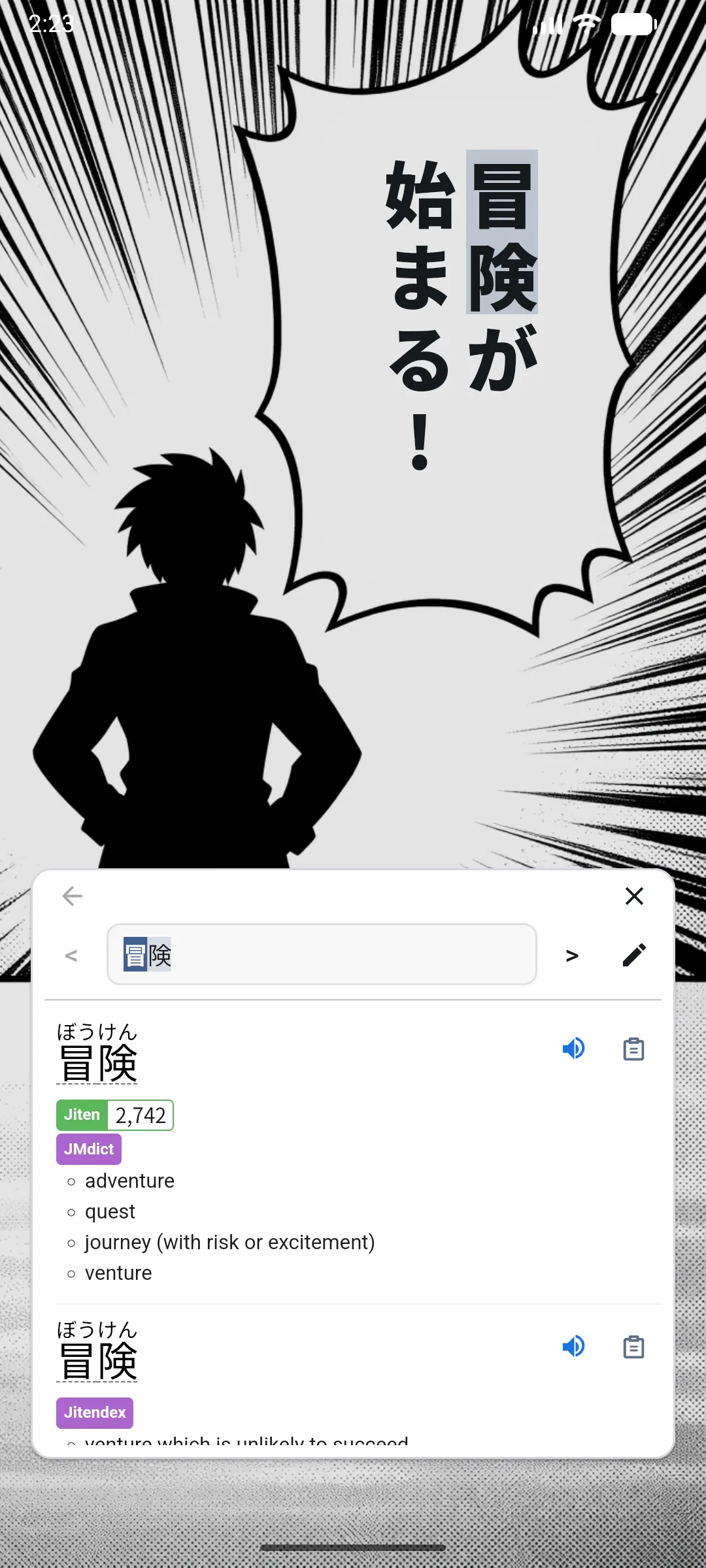
Best for manga readers, games, subtitles, chats, visual novels, PDFs, and screens where browser extensions cannot help.
PopLingo setup
Download PopLingo from Google Play and open it on your Android device.
Pick the language you are learning. Japanese is the most common use case, but PopLingo supports all languages.
Allow PopLingo to install the matching model and base dictionary for first-run setup.
Turn on Bubble so the floating lookup control appears over other apps.
Move the bubble over a word or line to trigger OCR lookup and read the popup result.
For deeper Japanese lookup, add Yomitan-format dictionaries after the first setup.
Troubleshooting
Check your connection, reopen the app, and confirm you completed language selection on first launch.
Return to PopLingo and enable Bubble again. If needed, verify required overlay and accessibility permissions.
Reposition the bubble and hover a clean text region. Dense or stylized fonts may need a steadier target.
Recheck import format and dictionary selection settings, then retry a hover lookup to confirm source changes.
FAQ
PopLingo is not the Yomitan browser extension. Yomitan itself can run on Android in supported browsers. PopLingo is an Android app for learners who want a similar lookup habit across native apps, using a floating OCR popup and Yomitan-format dictionaries.
Chrome for Android does not support normal browser extensions, so it is not the usual path for Yomitan. Use a supported Android browser for Yomitan, or use PopLingo when you want lookup outside the browser.
Yes. Firefox Android is one of the practical browser paths for Yomitan-style extension lookup. That works best for browser reading; PopLingo is for lookup across native Android apps.
Yomitan itself is a browser extension, not a standalone Android app. If you want a native Android app for Yomitan-style OCR lookup across other apps, install PopLingo from Google Play.
Yomitan on Android is a browser-extension workflow. PopLingo is a standalone Android app that uses a floating bubble and OCR lookup over manga readers, subtitle players, games, chats, and other native apps.
Use official sources where possible. PopLingo's public download path is Google Play, not an APK mirror.
If you searched for Yomitan Android GitHub, you may be looking for Yomitan source code or issue discussions. PopLingo setup is handled through the Android app.
No. After language selection, PopLingo installs matching resources automatically for first-run setup.
Open PopLingo and enable Bubble again. If the bubble still does not appear, verify overlay and accessibility permissions.
Yes. Custom Yomitan dictionaries can be added later and used in the same hover OCR lookup workflow.
Yes. Japanese is the most common use case, but PopLingo supports all languages. Popular choices include Japanese, Chinese, Korean, English, Spanish, German, and French.
Free on Google Play